


Hot Product Notices for Customers
Up-to-date information on changes, interruptions, and workarounds

There was an issue affecting connectivity between Netformx cloud / DesignXpert services and Cisco APIs. We have worked with Cisco and they have made the necessary adjustments to fully restore the service.
If you are still experiencing issues, please contact support@netformx.com.
We were experiencing an issue across our cloud solutions with the login. The issue seems to be primarily resolved at this time, but there are additional adjustments we will continue to make.
We apologize for any inconvenience this has caused.
If you continue to have issues, please contact support@netformx.com.
We had a few challenges with Cisco pricing and Catalog errors showing the offer is not available. This seemed to be occurring for some of the newer products.
We worked with Cisco to resolve the API issue. We apologize for the inconvenience.
If you are still having issues, please contact support@netformx.com.
Users of Netformx SaaS Solutions may have experienced a login issue. We were able to quickly resolve the issue. You should have no problems with logging in. We apologize for the inconvenience.
However, if you are still having an issue please contact support@netformx.com.
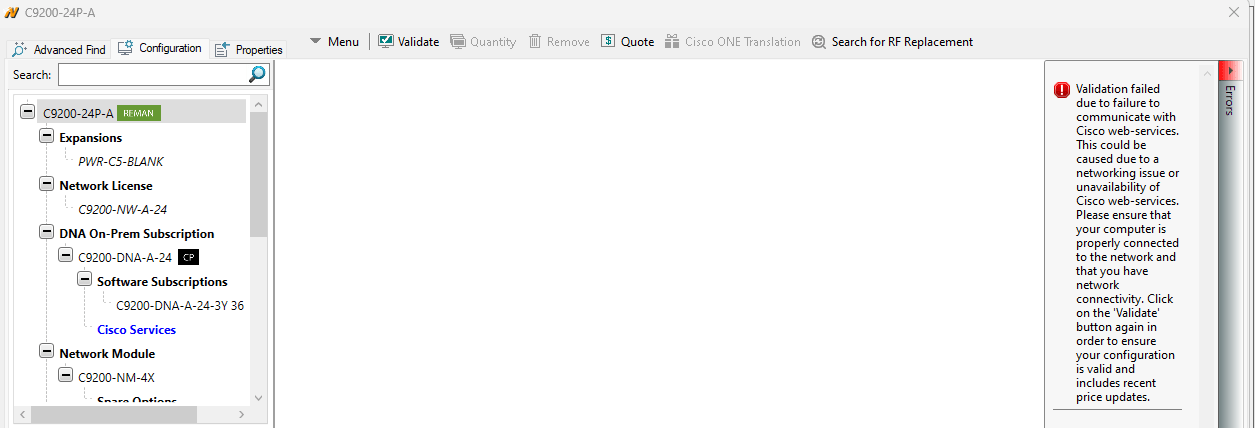
Users of Netformx DesignXpert may have experienced a validation error starting on April 1, 2024. It may have looked similar to the screenshot below, when adding Cisco devices to a network design.
There was an issue with connecting to Cisco web-services that Cisco has now resolved. You should no longer see this error. However, if you do, please let us know by contacting support@netformx.com.
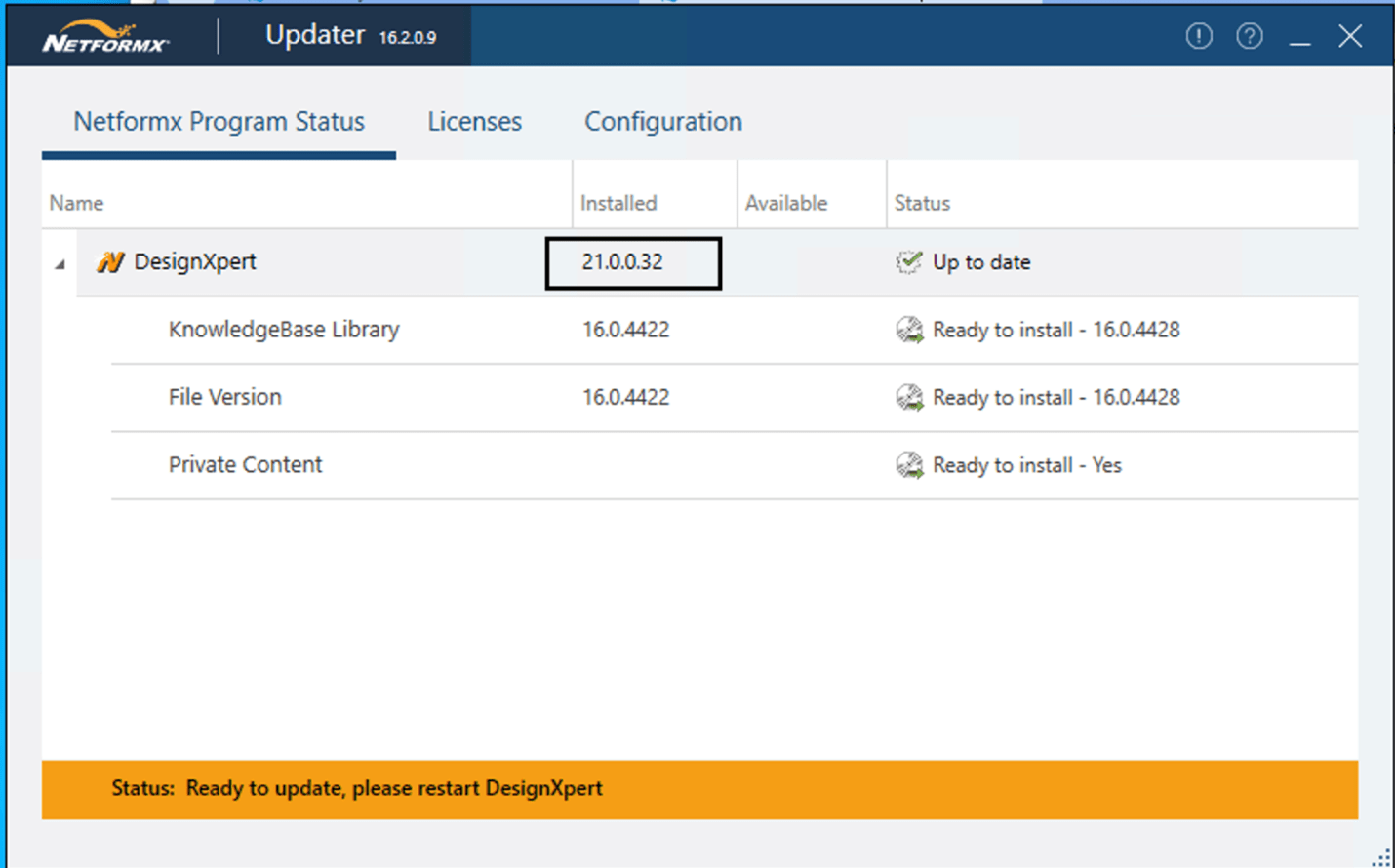
Cisco has changed their API’s which required Netformx to update their processes to access the Cisco information in DesignXpert and Netformx Discovery. The old API’s will stop working soon.
All DesignXpert/Discovery users should review the following steps for continued access to Cisco data:
If you have any questions please contact support@netformx.com.
The Netformx Email Server had an issue on December 19, 2023 from around 8:30 to 11:30 am Pacific. If you sent anyone at Netformx an email on this day and received a response that the email did not exist it was due to this server issue.
We have now resolved the problem.
If your email to us was rejected, we ask that you now try resending the message.
We apologize for any inconvenience!
Cisco recently changed their login process around CCO ID credentials. This may cause some challenges for DesignXpert users when they are trying to login.
If you experience an issue, here is how to resolve it:
If you continue to have issues please contact support@netformx.com.
Cisco has changed their login process for Cisco.com. They now require a valid email address for your Cisco username login.
This change could also impact how you login to the Pipeline Insight Tool (PIT).
If logging into PIT (https://apps.Netformx.com) doesn’t work using your CCOID credentials, you may need to create a new Cisco.com login with a valid email if you don’t already have one.
Follow the quick steps in this product update article on how to login to PIT using your Cisco.com email and password.
If you continue to have issues please contact support@netformx.com.
During this unprecedented time in Israel, our prayers and thoughts go out to our colleagues, their families, and friends. While the situation is unpredictable in Israel, we would like to share with our customers that business will continue as expected in the offering of our solutions.
Please know that our SaaS solutions are secure, and the Desktop solutions will not be impacted. Our team in Israel and other parts of the world continue to work in their usual manner to deliver the tools Cisco Partners need to achieve their business outcomes.
However, should you have any issues in utilizing our solutions, as always, please reach out to support@netformx.com.
Maintenance work was done on the Netformx SaaS tools hosting site over the weekend. The DNS refresh following the work took longer than normal and created additional issues for some of the Netformx applications.
We sincerely apologize for the delay that some users experienced when accessing the applications.
The problems have been resolved. You should now be able to access your tools and all of the normal features. However, if you continue to experience any issues contact mike.johnson@netformx.com or sales@netformx.com.
Your Updater may show that you are up to date with the KnowledgeBase Library version. However, you may still be having issues getting access to all the features. Here is a workaround to resolve the issue.
It may take about 10 minutes to update and then you should be able to use all the features again.
If you are still having issues after following these steps, please reach out to support@netformx.com.
Users of VIP Calculator will no longer experience an error when accessing the VIP Calculator Tool. Users can still leverage VIP40 SKUs in their calculations. Netformx is working to quickly update VIP Calculator to support the Cisco VIP41 rules that were released on January 29, 2023.
Please note that updating the rules to include the new Solutions Track with 6 subtracks will take longer than usual.
Recommendation:
During this time our best recommendation is to consider applying 2% – 4% to the total SKUs cost which is what we have been seeing as a range in the last couple of VIP periods.
We apologize for the inconvenience.
If you have questions, please contact support@netformx.com.
Some users of Netformx DesignXpert were experiencing an issue when uploading to CCW. We worked with Cisco to resolve this issue.
We apologize for the inconvenience.
If you have questions, please contact support@netformx.com.
Cisco has extended the VIP Shipping deadline for VIP 37, VIP 38, and VIP 39 bookings to April 29, 2023. We have updated ChannelXpert to reflect the new shipping deadlines. ChannelXpert will have automatically updated all of your shipping deadlines for bookings that have not shipped.
If you have questions, please contact support@netformx.com.
Netformx DesignXpert users were experiencing a 404 error when they would try to download the software for installation. We have now resolved the issue for the download files. However, if you are still experiencing issues, see the workaround below.
WORKAROUND: If you are still experiencing an issue downloading the installation files for DesignXpert, we can provide you a temporary link to download the executable files. Please contact support@netformx.com to request the download links. Please note that if you follow the Guidelines for Installation, any links for download of the executable file probably will not work, but the steps are still the same.
We apologize for the inconvenience this issue may have caused.
If you have questions, please contact support@netformx.com.
Netformx DesignXpert and AssetXpert were experiencing external connectivity issues.
We have been able to resolve the issue. We apologize for the inconvenience.
If for some reason you are still having problems, please contact support@netformx.com for assistance.

Netformx DesignXpert and Pipeline Insight Tools were experiencing an issue with a Cisco B2B API that required a Cisco update. This issue is now resolved.
We apologize for the inconvenience.
Netformx upgraded our database from November 6 (10:00 am PST) to November 7 (6:00 am PDT). Users may have seen limited access to Netformx SaaS solutions during this time. All is fully accessible now. We apologize for any inconvenience.

ChannelXpert users had been experiencing issues with accessing the Dashboards and Control Room.
The team worked to rapidly resolve this issue. All is now working as it should. We apologize for any temporary inconvenience.
Contact sales@netformx.com if you still have any questions.
We have a temporary workaround for PM’s who have downloaded the Deals Pipeline Report and want to sort Deal IDs for VIP Rebate and LCI Rewards from highest to lowest. This will be resolved with the Pipeline Insight Tool v5.3.1 release coming on May 30, 2021.
The following columns will have the formatting issue
The temporary workarounds is to:

You have now converted the text column into Numeric Data, which allows you to sort the data based on its numeric value. Follow the five steps for the other two columns to finish preparing the report for Excel manipulation.
We apologize for any temporary inconvenience. This issue will be resolved May 30, 2021.
Contact sales@netformx.com if you have any questions.
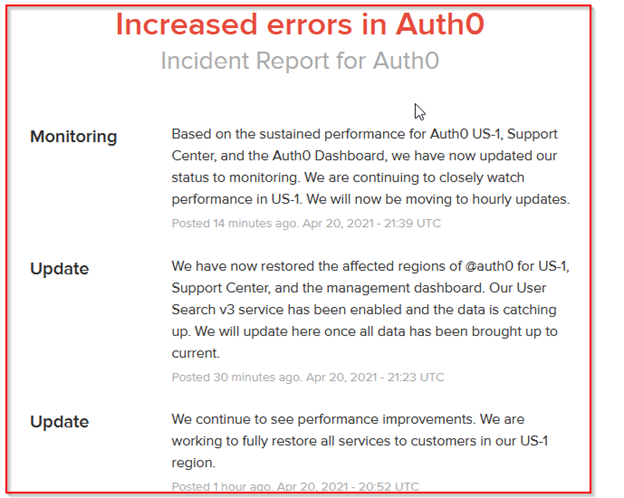
Netformx users had been experiencing issues when logging into the PIT, ChannelXpert, AssetXpert, and SalesXpert. Netformx uses Auth0 as our Login authentication program. Auth0 was having issues, which are now resolved. They continue to monitor to determine if there are any other issues that develop. We apologize for the inconvenience.
In the rare event, your downloaded Cisco SmartAdvisor (CSA) Network Assessment Report lacks the PSIRT & EoX (Product Lifecycle Milestone) details, open a support ticket directly with Cisco using this URL: http://case.cisco.com/. The CSA/CDS support team monitors a precise Cisco trouble ticket location – please review the CDS-Incident Creation Process documentation before opening your case. Cisco should respond with an update in 24-48 hours.
Netformx continues to be agile with their development of cloud applications for Cisco Partners. As part of feedback from Partners, we extended functionality in the Partner Incentive Tool (PIT) to include price change alerts and EoX flagging in addition to LCI alerts and the strategic alternates capabilities. We also introduced the VIP Calculator (VIPC) module to calculate VIP for Architecture & Annuity rebates during transition periods and main periods. As we focus on improving and streamlining post-sale functions in ChannelXpert for LCI and other Cisco programs we removed the BOM Analyzer from ChannelXpert effective January 31, 2021. We are here to help you migrate to superior functionality and a better user experience. Please contact your account manager or sales@netformx.com for assistance.
Netformx experienced Login issues for our Cloud Solutions for a short period of time on January 25, 2021.
We determined the root cause and resolved the Login challenges for all of our SaaS tools.
You should now have access. If you are still having Login issues, please contact support@netformx.com.
We sincerely apologize for any inconvenience this may have caused!
Netformx Discovery users will be presented with an option to test the Beta version of a new Netformx Discovery Interface. This version was completely rebuilt to provide a better user experience when performing a Discovery. While we are in test mode with this Beta it would be great for users to help us and provide their experience by performing a test discovery or actual discovery.
To take advantage of all the features in the streamlined Discovery user interface and enhanced engine, we recommend reviewing the new Netformx Discovery Step-by-Step for v.20.x Beta Guide.
Please share your experience good and bad with the Customer Success team at support@netformx.com.
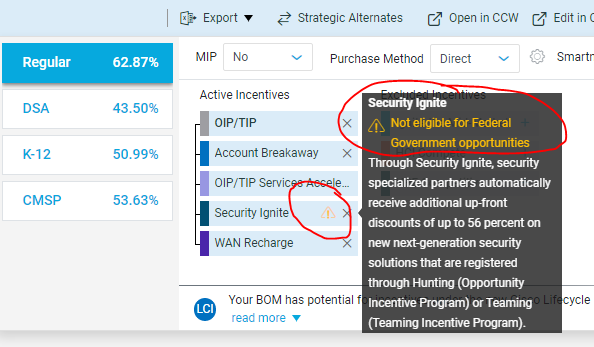
Cisco has changed the Security Ignite eligibility for Federal Government opportunities. We have added this notification feature to the Partner Incentive Tool (PIT). PIT will allow users to exclude this program from the Incentive options.
Internet Explorer version 11 contains outdated tooling, incompatible with the latest PIT 3.0 upgrade, and therefore Netformx advises any impacted Partners to immediately switch over to one of the other supported browsers when working in the PIT & MAT: Chrome, Firefox, Safari, or Microsoft Edge.
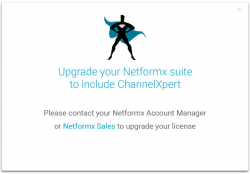
Some users who have current ChannelXpert licenses are receiving this upgrade message in error. If you believe your ChannelXpert license has not expired there could be a browser caching issue. We recommend clearing your browsing history and cookies or trying another browser. However, if you continue to have any issues or questions contact support@netformx.com.

Netformx added a verification process to check for periodic errors whereby some valid and configured Cisco SKUs residing inside the DesignXpert Project fail to upload successfully to the corresponding CCW Estimate. When that happens, the “Cisco.com Configuration Confirmation” dialog box will warn the user to the situation by adding a red exclamation icon (!) prefacing the Estimate line details.
Some Netformx Partner Incentive Tool (PIT) users do not see any Estimates information after they login.
If you have other concerns, please contact support@netformx.com.
Still have a problem?
Submit a case to Support.